
BitLocker Data Recovery
Zero Alpha offers professional data recovery for BitLocker encrypted drives. BitLocker is Microsoft’s full-disk encryption system used to protect data on Windows systems. When problems occur such as lost recovery keys, corrupted partitions, failed drives, or damaged file systems, accessing encrypted data can become extremely difficult. Our engineers specialise in recovering data from damaged or partially accessible BitLocker volumes. We accept mail in jobs from Australia and worldwide.
BitLocker Common Problems
- Drive asks for BitLocker recovery key after Windows update or hardware change
- Lost or unavailable BitLocker recovery key
- Corrupted BitLocker partition preventing normal unlocking
- Drive shows as RAW after encryption interruption
- File system corruption inside a BitLocker encrypted volume
- Damaged hard drive or SSD containing BitLocker encrypted data
- BitLocker metadata corruption preventing mount or unlock
- System crash during encryption or decryption process
- Accidental deletion of encrypted partitions
Bitlocker corruption detected as "Unknown" in disk manager
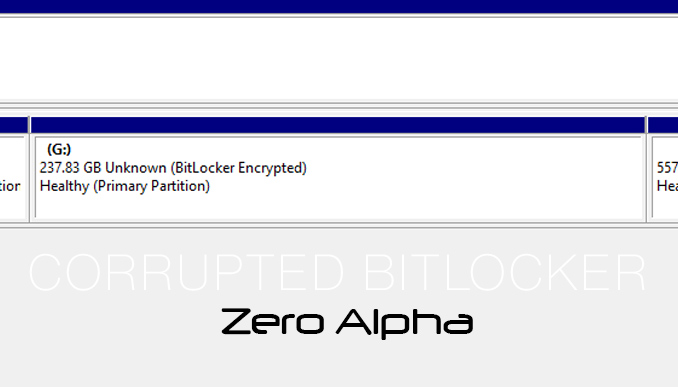
BitLocker metadata, which contains information about the encryption status and keys, gets corrupted, Disk Manager may fail to recognize the encryption and display BitLocker as "Unknown." Corruption can occur due to issues like system crashes, disk errors, or malware infections that affect the integrity of the BitLocker metadata.
Additionally, corruption in the system files or registry entries associated with BitLocker can also contribute to its "Unknown" status. If critical files or registry entries required for BitLocker's proper functioning become corrupted, it can result in Disk Manager being unable to identify and correctly interpret the BitLocker encryption.
The bitlocker encryption on this drive isn't compatible with your version of windows. Try opening the drive using a newer version of windows
04Mar26: This hard drive came into our office for data recovery because it had this error message. This problem only happened because the customer hired an onsite technician to remove it from an older computer and install it on another computer. But how can this be the case when as the time of this article windows 25H2 is the latest and newest version. The hard drive itself must have issues.