
Blackmagic RAW .BRAW Data Recovery
At Zero Alpha Data Recovery, we provide professional data recovery for Blackmagic RAW .BRAW video files from camera cards, external SSDs, USB-C recording media, SD cards, CFast cards, CFexpress cards, and formatted or corrupted drives. Blackmagic RAW files are commonly used by filmmakers, videographers, production companies, wedding shooters, real estate videographers, and content creators because they preserve high-quality camera data in a compact professional format.
When a .BRAW file is deleted, the card is formatted, the file system becomes corrupted, or the recording media starts failing, recovery can be more complicated than a normal photo or document recovery. Video files are large, they may be fragmented, and the file may contain important metadata and index structures that are required for the file to open correctly in Blackmagic RAW Player, DaVinci Resolve, or other editing software.
Zero Alpha offers professional .BRAW recovery services for customers across Australia. We also accept mail-in data recovery jobs, so you can send your media to us even if you are not located near one of our offices.
Blackmagic RAW .BRAW Common Problems
Blackmagic RAW files can be lost or damaged in many different ways. Some of the most common .BRAW recovery cases we see include:
- Deleted .BRAW video files
- Formatted camera cards or external SSDs
- Accidental deletion during a video shoot
- Corrupted exFAT file systems
- Blackmagic camera media not mounting
- Interrupted recordings or camera power loss
- Drive removed before recording finished
- External SSD not detected by the computer
- CFast, CFexpress, SD card, or USB-C SSD failure
- Files recovered by software but not opening
- .BRAW files showing as 0 bytes or wrong file size
- Recovered files that appear incomplete or damaged
How to play a .braw video file
You need to download the Black Magic Raw Player from https://www.blackmagicdesign.com/products/blackmagicraw
They have an annoying download option where you need to fill out your personal details just to download the installer first. Its a Blackmagic_RAW_Windows_5.1.zip which inside has Blackmagic_RAW_Windows_5.1.msi
Why .BRAW Recovery Is Different From Normal File Recovery
A .BRAW file is not like a small JPEG image or Word document. Blackmagic RAW files are large professional video files. A single clip may be hundreds of megabytes, several gigabytes, or much larger depending on resolution, frame rate, compression settings, and recording time.
Because of this, simple file carving is not always enough. A basic raw recovery tool may find the start of a .BRAW file, but it may not know where the file ends. It may also miss important metadata stored after the main video data. If that happens, the recovered file may look correct in size but still fail to open.
We try to recover the original file system first. If the file system is too damaged, we may then use raw carving, file signature analysis, and manual hex inspection to locate and rebuild the .BRAW files.
Which Data Recovery Software can I use to recover .braw files?
For file carving there are no data recovery software apps available that can help you recover them. Unfortunately we have had to make our own raw recovery file carver that can find an recover these .braw files
Technical Reference: Hex, Atoms, and .BRAW Structure
Hexadecimal analysis is useful when a file system no longer provides reliable filenames, file sizes, or file start positions. By examining the raw bytes, we can identify container markers, size fields, media-data regions, and Blackmagic-specific structures.
Each pair of hexadecimal characters represents one byte. Some byte sequences represent numbers. Others represent readable ASCII text. For example:
77 69 64 65 = wide 6D 64 61 74 = mdat 62 6D 64 66 = bmdf 62 72 61 77 = brawThese readable four-character values are commonly referred to as atoms, boxes, chunk identifiers, or structural markers depending on the file format context. In a recovery workflow, they can help identify whether a raw sector range belongs to a .BRAW file.
Example .BRAW Header Structure
A .BRAW file may begin with a structure similar to the following:
00 00 00 08 77 69 64 65 18 93 0F F8 6D 64 61 74This can be interpreted as:
00 00 00 08 = 32-bit big-endian size field 77 69 64 65 = "wide" 18 93 0F F8 = 32-bit big-endian size field for the following media data atom 6D 64 61 74 = "mdat"The mdat marker usually indicates a media-data section. However, mdat is not unique to Blackmagic RAW. It is also seen in other QuickTime/MP4-style media containers, so it should not be used alone as a reliable .BRAW signature.
Big-Endian Size Fields
Many container formats store size fields as big-endian integers. This means the most significant byte appears first. In the example below, the four bytes before mdat describe the size of the media-data atom:
18 93 0F F8Converted from hexadecimal to decimal:
0x18930FF8 = 412,291,064 bytesIf the file begins with an 8-byte wide atom followed by a 412,291,064-byte mdat atom, the expected end of the media-data region would be:
8 + 412,291,064 = 412,291,072 bytesHowever, the actual file may be larger because additional metadata can exist after the main media data.
Trailing Metadata After mdat
In one analysed .BRAW sample, Windows reported the file size as:
412,730,322 bytesThe calculated end of the mdat region was:
412,291,072 bytesThe difference was:
412,730,322 - 412,291,072 = 439,250 bytesThis indicates approximately 439 KB of data after the main mdat region. This trailing area may contain clip metadata, index structures, camera information, lens details, project information, or other data required for correct interpretation of the file.
This is important in data recovery because a carver that stops at the end of mdat may produce a truncated file. The recovered file may contain valid video payload data but still fail to open because required trailing structures are missing.
Blackmagic-Specific Markers
During manual inspection of .BRAW data, Blackmagic-specific markers may appear after the initial media-data structure. For example:
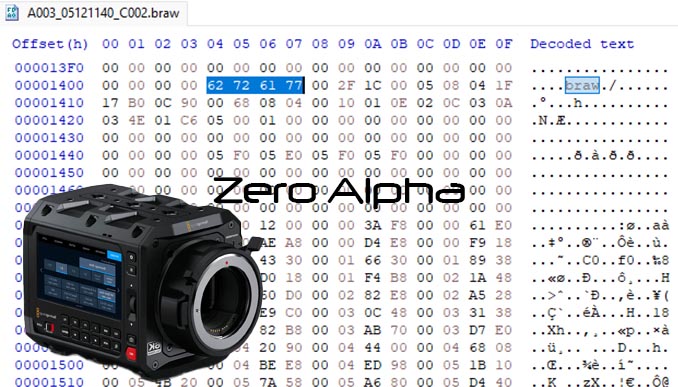
00 00 04 00 62 6D 64 66 b m d f 62 72 61 77 b r a wThe bmdf and braw markers are more useful for confirming Blackmagic RAW content than mdat alone. A stronger recovery workflow may use a general media-container start pattern first, then validate the candidate file by checking for Blackmagic-specific markers at expected offsets or within expected ranges.
Example .BRAW Carving Signature
A simple search for mdat is too broad. A more targeted .BRAW carving pattern may begin with:
00 00 00 08 77 69 64 65 ?? ?? ?? ?? 6D 64 61 74Interpreted as:
00 00 00 08 = size field 77 69 64 65 = "wide" ?? ?? ?? ?? = variable media-data size 6D 64 61 74 = "mdat"Secondary validation may then look for:
62 6D 64 66 = "bmdf" 62 72 61 77 = "braw"This approach reduces false positives compared with searching only for mdat or relying only on the .braw file extension.
Why End-of-File Detection Is Difficult
Some formats have a clear footer signature. .BRAW recovery is more complicated because the file may not end with a simple fixed footer. The end of the file may occur after a sequence of metadata atoms or data entries. The correct file length may need to be calculated by parsing size fields and validating structural consistency.
A practical recovery approach may involve:
- Identify the candidate file start.
- Read the atom or box size fields.
- Calculate the end of the main mdat region.
- Parse the following metadata region.
- Stop only when the trailing structure reaches a valid boundary.
- Validate the recovered file with Blackmagic-compatible software.
Deleted .BRAW Files
If a .BRAW file was deleted from a camera card or external SSD, the outcome depends on what happened after deletion. If the media was not reused, the original file system may still contain the filename, start cluster, file size, and allocation chain. In that situation, recovery may be straightforward.
If new footage was recorded after deletion, the original .BRAW data may be partially overwritten. The recovered file may be incomplete, corrupted, or unrecoverable depending on the extent of overwrite.
With SSDs and flash-based media, TRIM and garbage collection can also affect recovery. If deleted sectors have been zero-filled or physically erased by the controller, software cannot reconstruct the missing video payload.
Formatted Blackmagic Camera Media
Formatted media is a common .BRAW recovery scenario. Many camera workflows use exFAT-formatted cards or external SSDs. If the format was quick and the media was not reused, the video data may still be present. If the media was fully erased, overwritten, or trimmed, recovery may be limited.
The most important instruction is to stop using the media immediately. Do not record more footage, do not format the device again, and do not save recovered files back to the same card or drive.
Corrupted .BRAW Files
A corrupted .BRAW file may appear with the correct filename and size but fail to open. This can happen if the file is missing trailing metadata, has an incorrect length, was interrupted during recording, or was recovered using software that did not preserve the full structure.
In some cases, the media payload may still exist and the file may be repairable or partially recoverable. In other cases, the missing area may contain essential frame data or metadata that cannot be regenerated without a valid source.
Our .BRAW Data Recovery Process
- Initial assessment: We inspect the media and determine whether the problem is logical, physical, or both.
- Sector-by-sector clone: We create a clone of the original media before recovery attempts.
- File system analysis: We attempt to recover the original directory structure, filenames, timestamps, file sizes, and allocation chains.
- Raw signature recovery: If file system metadata is missing, we search for .BRAW-related signatures and container structures.
- Manual hex analysis: For complex cases, we inspect file starts, size fields, media-data regions, metadata blocks, and trailing structures.
- File validation: We test recovered files where possible using Blackmagic RAW compatible software.
What Not To Do
- Do not keep recording to the same card or SSD.
- Do not format the media again.
- Do not run CHKDSK, First Aid, repair tools, or file system fix utilities.
- Do not save recovered files back to the original media.
- Do not assume a large recovered .BRAW file is complete.
- Do not rely only on basic photo recovery software for professional .BRAW footage.
Can All .BRAW Files Be Recovered?
Not always. Recovery depends on whether the original video data still exists. If the data has been overwritten, zero-filled, trimmed, or physically lost due to media failure, recovery may be partial or impossible.
If the underlying data is still present, professional recovery methods can often produce a better result than basic consumer recovery software. The best outcomes usually come from preserving the original media, cloning it correctly, recovering the file system where possible, and using raw carving only when necessary.
Blackmagic RAW Recovery From Different Media Types
We can assess .BRAW recovery from many types of recording media, including:
- SD cards
- microSD cards
- CFast cards
- CFexpress cards
- USB-C external SSDs
- NVMe SSDs in external enclosures
- Portable production drives
- Formatted or corrupted exFAT volumes