
Seagate ST28000DM000 Data Recovery
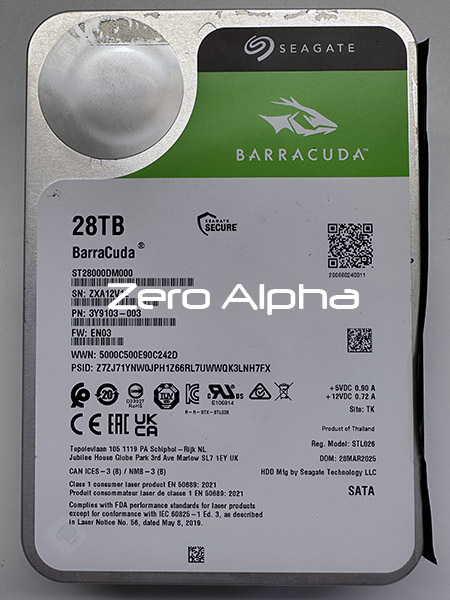
Zero Alpha offers professional data recovery for ST28000DM000. This Seagate 28TB hard drive can experience mechanical failure, damaged read/write heads, bad sectors, firmware faults and problems preventing the drive from being detected or accessed. We accept mail in jobs from Australia and worldwide.
Seagate ST28000DM000 Common Problems
- Hard drive not detected by BIOS or operating system.
- Clicking, knocking or unusual mechanical noises.
- Damaged read/write heads preventing access to stored data.
- Bad sectors causing slow performance, freezing or read errors.
- Firmware problems preventing the drive from initialising.
- PCB or electronic failure preventing the drive from powering up.
- Accidental formatting or deleted partitions.
- File system corruption and inaccessible partitions.
- Drive becoming unresponsive during data transfers.
ST28000DM000 Data Recovery Caselog
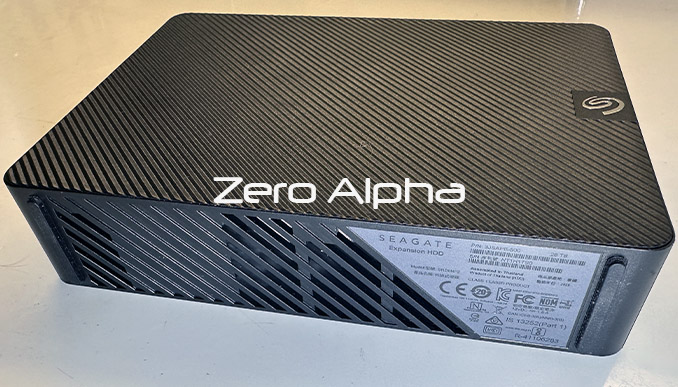
24NOV26: Seagate ST28000DM000 hard drive submitted for data recovery at our Perth WA location. The drive is making a bad clicking sound when you power it up. It was removed from a Seagate Expansion HDD PN: 3JSAPB-500. PCB: 204406200 REV A. The pcb gave this error when we tried to edit the settings: Error : BootCode is locked! Use programmer for ROM reading! Has 2 rom chips IS25WP032. When we read the rom we get: WARNING! ROM RAID IS DETECTED! StripeSize = 0x100000.
Some newer Seagate hard drives store their firmware ROM across two flash chips instead of one, and data recovery tools have to treat the pair as a single striped image. It carries two 4 MiB IS25WP032D SPI chips.
Reading the chips with a 1.8 V programmer and alternating 1 MiB stripes from each file produced an 8 MiB image. That image splits back into the two original dumps byte for byte. Only the first 2 MiB of each chip holds data, and the rest is erased. The contents include plaintext boot code for memory and clock setup, a chain of Seagate X.509 certificates that indicates signed firmware, and six LZMA-compressed blocks of code and tables.
Directory and container structure
- GLOB_FLASH_DIR: The global flash directory, which maps where each segment sits. It appears twice, once before each boot-firmware container. The second copy has an invalid whole-space checksum.
- BOOTFW_CONT_0 and BOOTFW_CONT_1: Two containers for the boot-firmware set. Copy 0 is populated and copy 1 is FF-filled, so it holds no data.
- BOOTFW_DIR: The directory inside each container.
Inside each boot-firmware container
- GENERAL_DATA and PROG_INQ_DATA: Small data and identity-style segments.
- BOOTFW: The boot firmware itself, probably the plaintext boot code and certificates I found at the start of the left chip. Copy 0 has an invalid used-space checksum here, which is the main warning.
- IAP, SFW, SHELL: The other firmware parts of the set.
Outside the containers
- RAP, SAP, CAP: SAP is the only one marked packed. That fits the compressed 69,960-byte block I found.
- IV and TPM: Likely security-related, an initialization vector and trusted-platform data. That fits the signed-firmware certificates. IV is FF-filled in your image, with invalid checksums.
- BOOTFLOADER: The bootloader, which PC-3000 parses without complaint.
- UDS_BFW: Unknown. I did see a “UDS” marker near 0x1C0000 in the combined image, so it may sit there.
- FLASH_PAD: Padding.