Crucial MX500 2.5 SSD Data Recovery
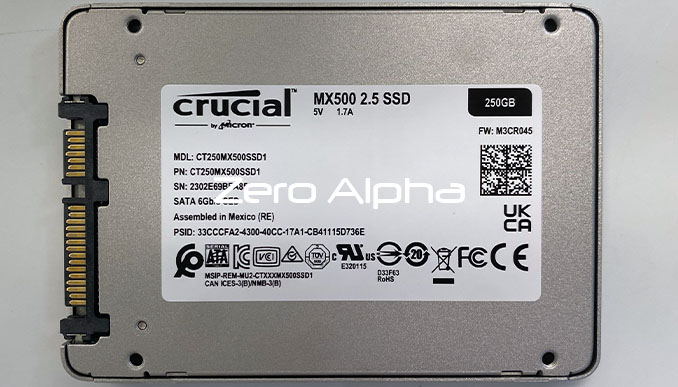
Zero Alpha offers professional data recovery for MX500. The Crucial MX500 is a SATA SSD commonly available in capacities such as 250GB, 500GB, 1TB, 2TB, and 4TB. Common failures include not detecting, slow access, firmware faults, damaged connectors, failed components, and unreadable data. We accept mail in jobs from Australia and worldwide.
Common Crucial MX500 Common Problems
- Not detected by computer
- Sudden power failure
- Firmware corruption
- Physical damage to SATA port
- Extremely slow performance
- Drive freezes or crashes
- Data appears missing or deleted
- Overheating issues
- Controller or NAND failure
- SMART errors or bad sectors
Crucial MX500 CT4000MX500SSD1 SSD Not Working
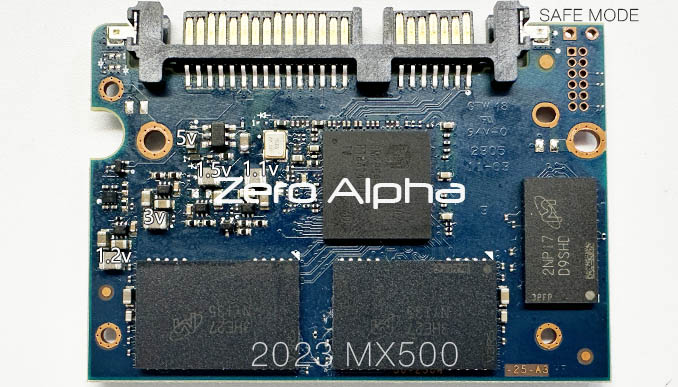
Crucial MX500 SSD stopped working. Model: CT4000MX500SSD1, Size: 4000gb. Zero Alpha Sydney was able to recover the data by finding a faulty capacitor which caused a short circuit. We show you how to fault find an SSD and fix it for data recovery. FW: M3CR046. Controller: SM2259H AD. The 6pin |BGQP chip was in hiccup mode. This TSOT23-6 current and voltage switch is a MP5036A made by MPS. Safe mode will detect as: SM2259AC-80-10000001.
Crucial MX500 Not working from Bad Capacitor Short Circuit
14May26: This crucial MX500 SSD is not detecting. It was removed from a laptop because it stopped booting. The customer thinks there may have been a power issue. We found a short circuit caused by a bad capcitor. It was pulling down the 3.3v nand power circuit. The short circuit also damaged the Crucial 2.5" SSD. Some models can be repaired and other models can not have firmware repaired. Controller: SM2258H AB. This version has hardware encryption. Using the Crucial MX500 (SM2258H) utility, Upload the default loader. CP not important when asked. It will detect as SM2258AA-0 and correct size 500GB. Create a translator which gives the message: Attention! Signs of hardware data encryption have been detected. Will need to save a backup and then its the manual process of recovering the keys. Watch here. Use service blocks>reading.
If you don't get a successful translator it will only read data with zero filled sectors or all sectors show the same hex pattern with the model number in it. Once you get a good translator it will read successfully at 2.0 mb/s.
IndexRec: 0x0000
Block: 0x01EA; Index: 0x2C; Ver: 0x3AFED : Srv data checking error
IndexRec: 0x0000
Block: 0x01EA; Index: 0x2E; Ver: 0x3AFED : Srv data checking error
IndexRec: 0x0000
Block: 0x01EA; Index: 0x30; Ver: 0x3AFED : Srv data checking error
IndexRec: 0x0000
Block: 0x01EA; Index: 0x32; Ver: 0x3AFED : Srv data checking error
IndexRec: 0x0000
Block: 0x01EA; Index: 0x34; Ver: 0x3AFED : Srv data checking error
IndexRec: 0x0000
Block: 0x01EA; Index: 0x36; Ver: 0x3AFED : Srv data checking error
IndexRec: 0x0000
Block: 0x01EA; Index: 0x38; Ver: 0x3AFED : Srv data checking error
IndexRec: 0x0000
Block: 0x01EA; Index: 0x3A; Ver: 0x3AFED : Srv data checking error
IndexRec: 0x0000
Block: 0x01EA; Index: 0x3C; Ver: 0x3AFED : Srv data checking error
IndexRec: 0x0000
Block: 0x01EA; Index: 0x40; Ver: 0x3AFED : Srv data checking error
IndexRec: 0x0000
Block: 0x01EA; Index: 0x42; Ver: 0x3AFED : Srv data checking error
IndexRec: 0x0000
Block: 0x01EA; Index: 0x44; Ver: 0x3AFED : Srv data checking error
IndexRec: 0x0000
Block: 0x01EA; Index: 0x46; Ver: 0x3AFED : Srv data checking error
IndexRec: 0x0000
Block: 0x01EC; Index: 0x20; Ver: 0x3AFEE : Srv data checking error
IndexRec: 0x0000
Block: 0x01EC; Index: 0x22; Ver: 0x3AFEE : Srv data checking error
IndexRec: 0x0000
Block: 0x01EC; Index: 0x24; Ver: 0x3AFEE : Srv data checking error
IndexRec: 0x0000
Block: 0x01EC; Index: 0x26; Ver: 0x3AFEE : Srv data checking error
IndexRec: 0x0000
Block: 0x01EC; Index: 0x28; Ver: 0x3AFEE : Srv data checking error
IndexRec: 0x0000
Block: 0x01EC; Index: 0x2A; Ver: 0x3AFEE : Srv data checking error
IndexRec: 0x0000
Block: 0x01EC; Index: 0x2C; Ver: 0x3AFEE : Srv data checking error
IndexRec: 0x0000
Block: 0x01EC; Index: 0x2E; Ver: 0x3AFEE : Srv data checking error
IndexRec: 0x0000
Block: 0x01EC; Index: 0x30; Ver: 0x3AFEE : Srv data checking error
IndexRec: 0x0000
Block: 0x01EC; Index: 0x32; Ver: 0x3AFEE : Srv data checking error
IndexRec: 0x0000
Block: 0x01EC; Index: 0x34; Ver: 0x3AFEE : Srv data checking error
IndexRec: 0x0000
Block: 0x01EC; Index: 0x36; Ver: 0x3AFEE : Srv data checking error
IndexRec: 0x0000
Block: 0x01EC; Index: 0x38; Ver: 0x3AFEE : Srv data checking error
IndexRec: 0x0000
Block: 0x01EC; Index: 0x3A; Ver: 0x3AFEE : Srv data checking error
IndexRec: 0x0000
Block: 0x01EC; Index: 0x3C; Ver: 0x3AFEE : Srv data checking error
IndexRec: 0x0000
Block: 0x01EC; Index: 0x40; Ver: 0x3AFEE : Srv data checking error
IndexRec: 0x0000
Block: 0x01EC; Index: 0x42; Ver: 0x3AFEE : Srv data checking error
Block: 0x01EC; Index: 0x44.............. : Descriptor is empty
Block: 0x01EC; Index: 0x46.............. : Descriptor is empty
Blocks descriptors (Deleted)............ : 0x38EC
Done with errors
Decomposition into segments
Chunks of translator (Total)............ : 0x2CEF
Completed
Sorting
Chunks of translator (Unique)........... : 0x01
Completed
Finding segments boundaries
Total segments.......................... : 0x17760B6
Points found............................ : 0x1E47040
Completed
Splitting and finding unique segments
Total segments.......................... : 0x1CA91EA
Unique segments......................... : 0x17698B6
Completed
****************************************
Completed
Saved file : <HDD Profile>\Data\Translator\Autosave\Translator_2026-05-19_17-15-56.bin
Attention! Signs of hardware data encryption have been detected.
Before data saving or drive imaging it’s necessary to upload the encryption keys.
To do this, please follow by: Utility Status - Reading Parameters - Encryption.
In case of additional issues, please contact ACE Lab Technical Support Team.
****************************************
Test completed
Resources backup
****************************************
Into folder............................. : <HDD Profile>\Data\SABackup
Reading CP:
Into folder............................. : <HDD Profile>\Data\SABackup\ConfigParams
Cfg block not found
CP block not found. Scanning...
CP block not found
Read CP (Id: 8000)
Completed
Read CP (Id: 8001)
channel: 0; chip: 0; block: 0x0000; page: 0x0004: SSD params buf checking error
Completed
Read CP (Id: 8002)
Completed
Read CP (Id: 8003)
Completed
Read CP (Id: 8005)
Completed
Read CP (Id: 8006)
Completed
Read CP (Id: 8009)
Completed
Read CP (Id: 0020)
CP 0020 not found
Read CP (Id: 0021)
CP 0021 not found
Read CP (Id: 0022)
CP 0022 not found
Read CP (Id: 0023)
CP 0023 not found
Read CP (Id: 0024)
CP 0024 not found
Read CP (Id: 0025)
CP 0025 not found
Read CP (Id: 0026)
CP 0026 not found
Read CP (Id: 0027)
CP 0027 not found
Firmware reading:
Into folder............................. : <HDD Profile>\Data\SABackup\Firmware
BootISP reading (Copy: 00)
Page reading (channel: 0; chip: 0; block: 0x0000; page: 0x0000)................. : Ok
Page reading (channel: 0; chip: 0; block: 0x0000; page: 0x0002)................. : Ok
Completed
Information about firmware
****************************************
Firmware type........................... : Unknown FW
Size (bytes)............................ : 0x3600
Checksum................................ : No
CRC32 hash.............................. : 0xE68AC5F8
****************************************
BootISP reading (Copy: 01)
Page reading (channel: 1; chip: 0; block: 0x0000; page: 0x0000)................. : Ok
Page reading (channel: 1; chip: 0; block: 0x0000; page: 0x0002)................. : Ok
Completed
Information about firmware
****************************************
Firmware type........................... : Bootloader for ISP (BootISP)
Size (bytes)............................ : 0x3600
Checksum................................ : No
CRC32 hash.............................. : 0x99AA9059
****************************************
BootISP reading (Copy: 02)
Page reading (channel: 2; chip: 0; block: 0x0000; page: 0x0000)................. : Ok
Page reading (channel: 2; chip: 0; block: 0x0000; page: 0x0002)................. : Ok
Completed
Information about firmware
****************************************
Firmware type........................... : In-System Program (ISP)
Size (bytes)............................ : 0x3600
Checksum................................ : No
CRC32 hash.............................. : 0x60E32EDE
Firmware version (Internal)............. : Q1208A
Firmware version (By default)........... : 3MRC10 0
SSD model (By default).................. : CT500MX500SSD1
SSD serial number (By default).......... : 1805E10C996D
****************************************
ISP reading (Copy: 00)
Memory microchip reading (channel: 2; chip: 0; block: 0x0000; page: 0x0000; count: 0x00000100)
Completed
Completed
Information about firmware
****************************************
Firmware type........................... : In-System Program (ISP)
Size (bytes)............................ : 0xA0400
Checksum................................ : No
CRC32 hash.............................. : 0x422D0FBA
Firmware version........................ : M3CR010
Firmware version (Internal)............. : Q1208A
Firmware version (By default)........... : 3MRC10 0
SSD model............................... : CT500MX500SSD1
SSD serial number....................... : 1805E10C996D
****************************************
ISP reading (Copy: 01)
Memory microchip reading (channel: 3; chip: 0; block: 0x0000; page: 0x0000; count: 0x00000100)
Completed
Completed
Information about firmware
****************************************
Firmware type........................... : In-System Program (ISP)
Size (bytes)............................ : 0xA0400
Checksum................................ : No
CRC32 hash.............................. : 0x422D0FBA
Firmware version........................ : M3CR010
Firmware version (Internal)............. : Q1208A
Firmware version (By default)........... : 3MRC10 0
SSD model............................... : CT500MX500SSD1
SSD serial number....................... : 1805E10C996D
****************************************
****************************************
Test completed
Crucial MX500 2.5 SSD 250gb CT250MX500SSD1 Data Recovery Case Log
This is a 250GB laptop size SSD. Zero Alpha was able to recover all documents as required by the customer for this faulty SSD.
SSD MX500 CT500MX500SSD1 Bricked Data Recovery Case Log
12MAR24: This ssd is bricked and does not detect on any computer you plug it into. Nothing in the bios. Opened the casing of the SSD. The controller is SM2258H, supported by the utility.
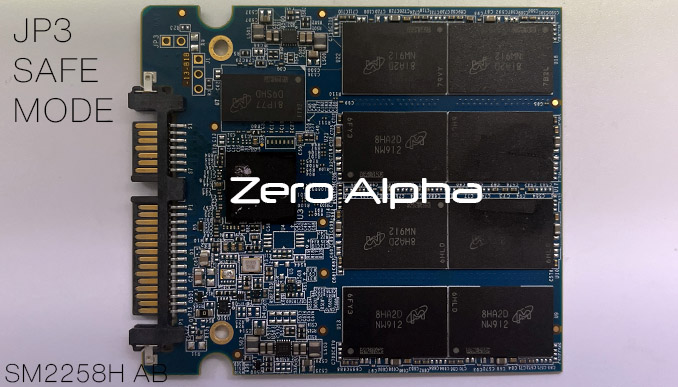
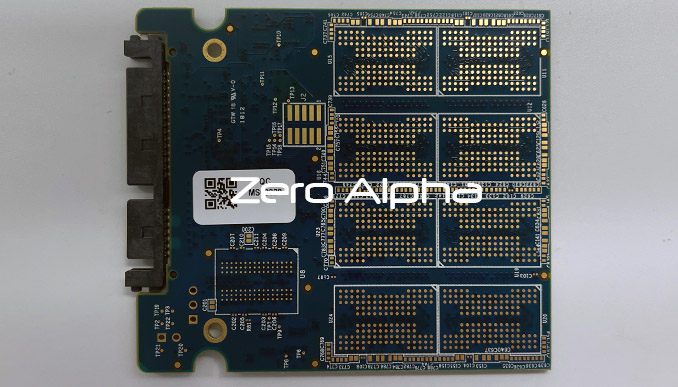
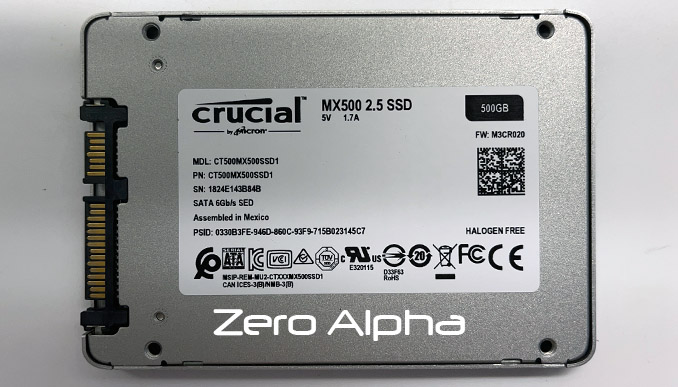
Test point is JP3
Controller.............................. : SM2258XT
SSD status:
SSD is in ready state................... : No
Firmware mode........................... : Unknown
SSD is locked........................... : Unknown
SSD is in Safe Mode..................... : Unknown
Logical access is possible.............. : No
Physical access is possible............. : No
Ready state waiting..................... : Ok
Power Off
Power On
Ready state waiting..................... : Ok
Safe mode............................... : Ok
SSD status:
SSD is in ready state................... : Yes
Firmware mode........................... : ROM
SSD error code.......................... : 0x00 (No errors)
SSD is locked........................... : No
SSD is in Safe Mode..................... : Yes
Logical access is possible.............. : No
Physical access is possible............. : No
Chips id................................ : 2CA40832A100
Vendor.................................. : Micron
Type.................................... : 64L(B16A) TLC
Loader uploading
****************************************
MPISP code name......................... : S1007A0 IMB16_00; S0104D(N)
S1007A0 IMB16_00; S0104D(N)............. : Ok
Calling executable code................. : Ok
Invalid sectors per regions value (0xFFFF0000)
Seed table reading
Update 26Mar24: After trying various utilities including the recommended ADATA utility for SM2258H we could not get data access using the almost 100 different loaders to initialise this SSD for recovery. So I tried again using the Crucial BX500 SM2258XT and finally some success. It did take over 5 minutes to load the utility and it loaded CP modules etc. No need for loader. I skipped this as I wanted to check for data access first and yes there was data access now. Making a DE task via the utility did not work. I used sata1 port direct and I was able to make a task to get all the data back. Here is a copy of the successful data recovery utility log file:
Controller.............................. : SM2258XT
SSD status:
SSD is in ready state................... : Yes
Firmware mode........................... : ROM
SSD error code.......................... : 0x00 (No errors)
SSD is locked........................... : No
SSD is in Safe Mode..................... : Yes
Logical access is possible.............. : No
Physical access is possible............. : No
Chips id................................ : 2CA40832A100
Vendor.................................. : Micron
Type.................................... : 64L(B16A) TLC
Loader uploading
****************************************
Loader is not uploaded! Some utility functions may not work properly!
****************************************
Microchips information uploading........ : Ok
SSD parameters reading.................. : Ok
Params buf checking error
Table is not loaded!
Reassigned block table loading.......... : Operation aborted
CP table loading
CP blocks not found
Completed
CP blocks not found
Params buf checking error
CP 0004 not found
USER password........................... : No
2020 500GB SSD DATA RECOVERY CASE LOG
27May24: This ssd comes ready but goes busy when you try to ID it. Model: CT500MX500SSD1, FW: M3CR023.
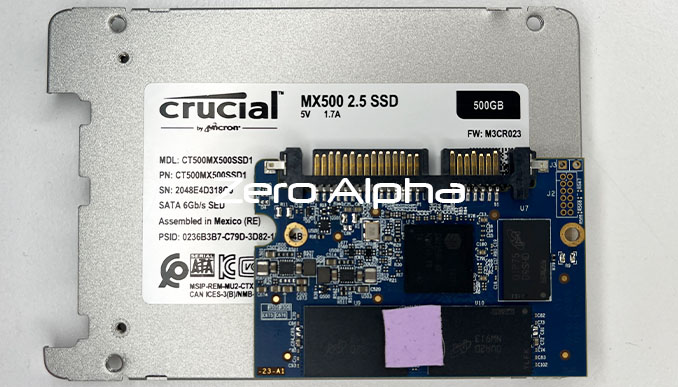
CPU: SM2258H AB
SAFE MODE: J3
REGULATOR: AKJ M34 713
The SM2258H and SM2258G cpu variants have custom firmware. If these models go busy on command then they have severe firmware corruption and are not easily solved by professional data recovery tools.
CT1000MX500SSD1 M3CR043 Burnt out Chip Data Recovery Caselog
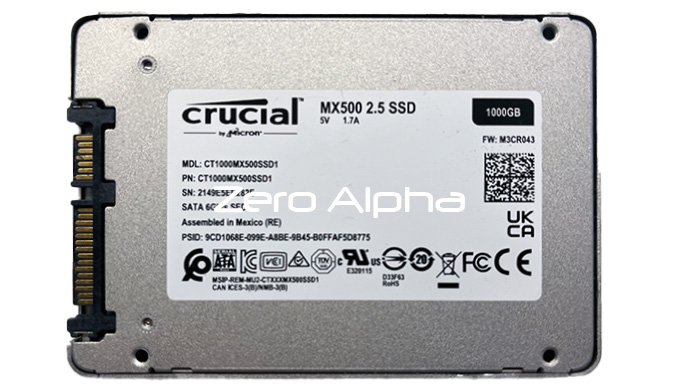
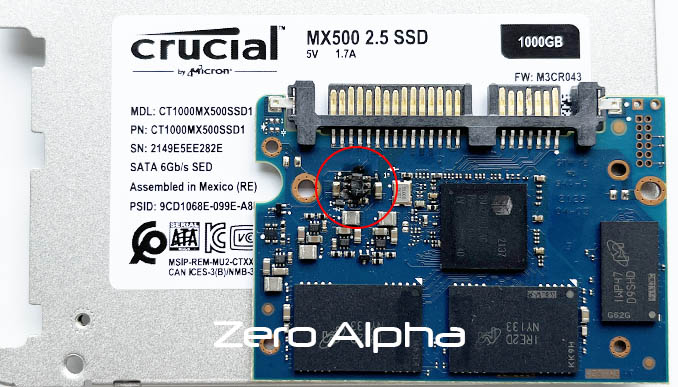
22Aug24: Client reported that there was a problem with the power source. This ssd has a very badly damaged chip which created smoke and burnt the pcb. Controller is SM2259H AC. Damaged chip is marked BGQP which is a Monolithic Power Systems current limit switch, part number MP5036A. The 1 at the start indicating RoHS 1 standard halogen and lead free. 1B6QP / IB6QP / 1BGQP / IBGQP chip. You can bridge pin 5 (input 5V) to pin 2 (output) to bypass the chip, this is working on a donor SSD. On the patient SSD, the controller is shorted internally producing a hot spot over 70 degrees.
CT4000MX500SSD1 4000GB MX500 2.5 SSD Data Recovery Caselog
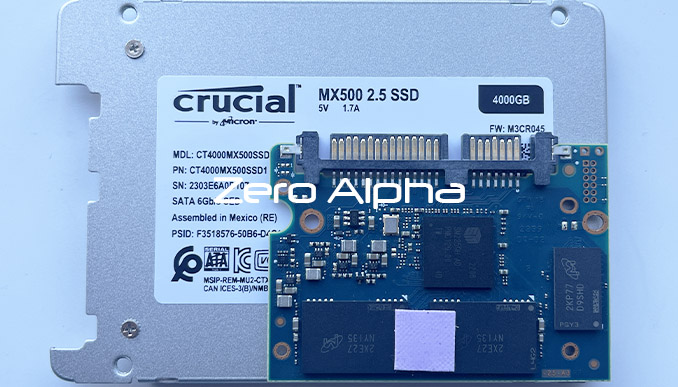
28May25: This ssd stays busy and does not id. Controller: SM2259H AD. Safe mode is top right corner and detects as: Model : SM2259AC-80-10000001, Serial : (03)5526888-20080228, Firmware : 20200324, Capacity : 1 GB (2 096 640).
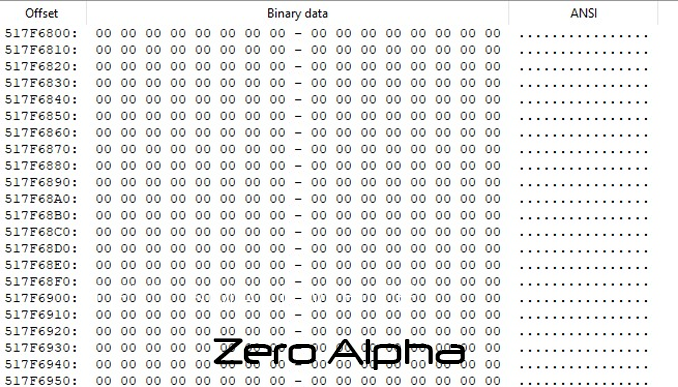
Trim deleted Mx500 data recovery caselog
This customer brought in a mx500 that had deleted data on it. You can see in the hex editor that trim has cleared all the sectors back to null. Data recovery in this situation requires us to access the trim tables.