
Intel Optane H10 SSD Data Recovery
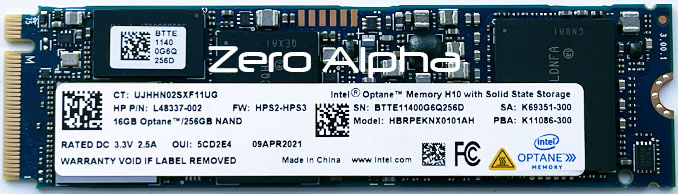
At Zero Alpha Data Recovery, we offer professional data recovery for Intel Optane H10 SSDs. This unique SSD combines QLC NAND with Intel Optane memory on a single M.2 device, relying heavily on Intel RST drivers and BIOS support. If the system fails or the drive becomes unrecognisable, recovering data can be complex — but we’re here to help. We also accept mail-in jobs Australia and international, so no matter where you're located, you can send your drive to us confidently.
Intel Optane H10 SSD Common Problems
- SSD not detected in BIOS or Windows
- Intel Optane component not recognised
- Drive shows 0MB or incorrect size
- RAID or RST metadata corruption
- Boot failure after BIOS reset or OS reinstall
- Partition shows as RAW or missing
- Inaccessible files due to driver dependency
- Controller or firmware failure
- Read-only mode triggered by system crash
- Power-related damage affecting hybrid architecture
Intel Optane H10 HP L48337-02 Laptop not working Data Recovery caselog
30Oct25: This Intel Optane memory H10 with solid state storage came from Ipswich Queensland for rapid data recovery. It has 16GB Optane and 256GB NAND. Model: HBRPEKNX0101AH. Winbond W632GU6MB DRAM and SMI TAKF93.00 controller. The two storage components were separated and reassembled via Intel software, but BitLocker was not detected. A full clone was performed and processed with BitLocker recovery tools, resulting in a successful data recovery.
Intel Optane M.2 SSD HBRPEKNX0202AH 2TB Data Recovery Caselog
Case P/N: L48338-002
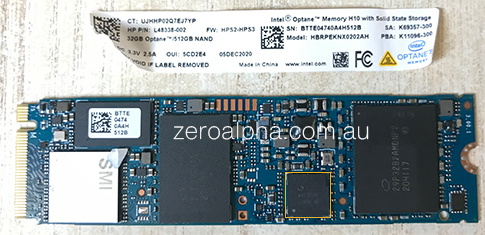
09Jan23: This SSD was submitted for data recovery after failure. Chip AHX36092 SLM4B showed activity consistent with a working donor. Thermal and electrical testing matched a functional unit. The system boot was extremely slow when connected.
Test points beneath the mounting screw matched a working donor unit.
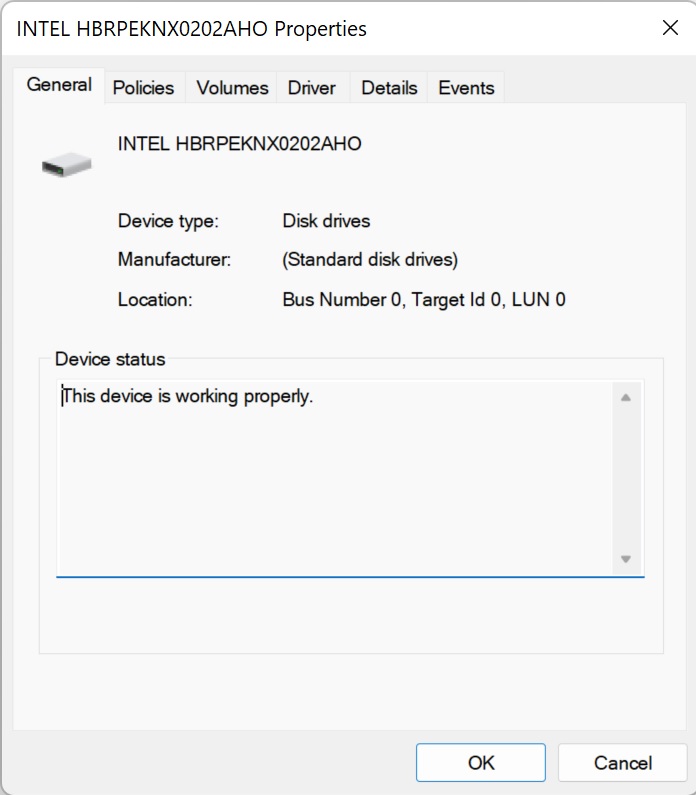
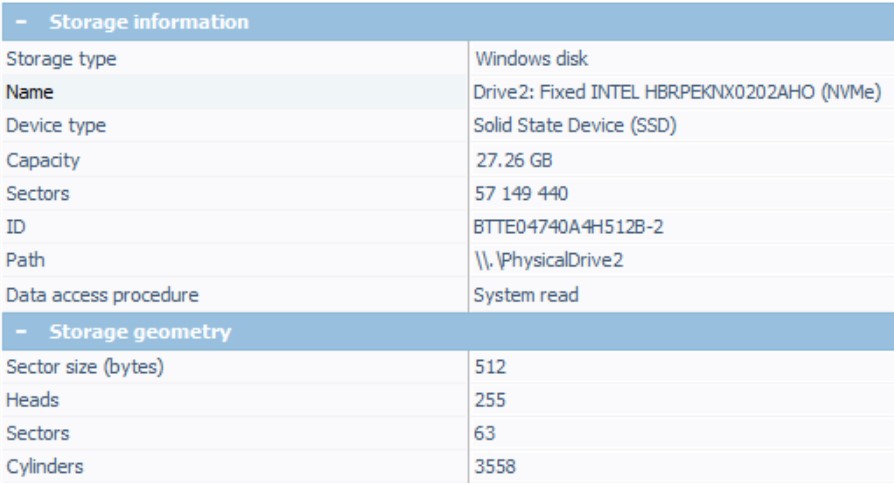
Faulty units may only detect a small partition (around 32GB or ~27GB). When Intel Optane is disabled, partial detection may occur; when enabled, the drive may not detect at all.
Intel Optane Memory H10 Data Recovery Caselog
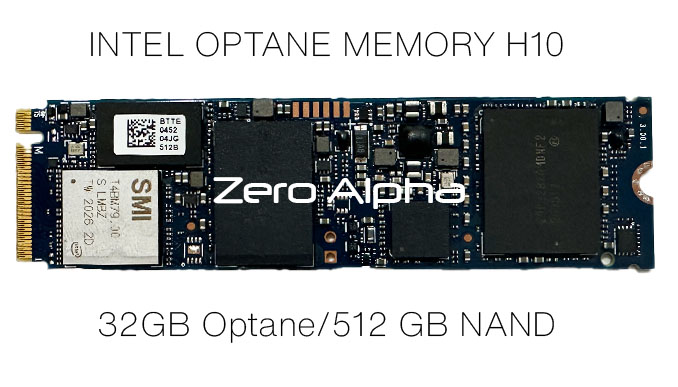
11Nov24: Intel Optane H series drives may not function correctly in external docks. The device contains separate Optane and QLC NAND components, appearing as two PCIe devices combined by Intel RST. PN: L48338-002. Controller: SMI T4BM79.00.
16Sep25: Drive presented with BitLocker encryption.
INTEL OPTANE H10 HBRPEKNX0202AH Blown CPU Data Recovery Caselog
20Feb26: This 2TB SSD was submitted for recovery after a system failure. The SSD showed signs of electrical damage, including a burnt smell. The source system (Intel NUC) had a failed CPU with visible damage and a blown capacitor.
OPTANE H10 32/512 HBRPEKNX0202AH HP Laptop Data Recovery Caselog
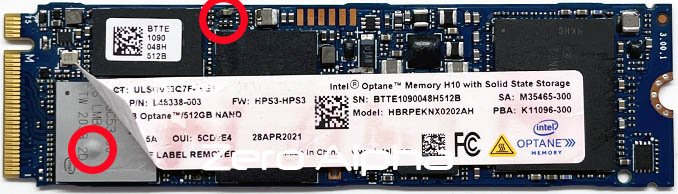
10Nov26: A customer brought in an HP laptop that was failing to boot Windows 11. A local computer technician had tried to get it working but eventually removed the Intel Optane H10 SSD and replaced it with a conventional SSD to get the laptop running again. The customer still needed the data from the original drive and was recommended to Zero Alpha for Intel Optane SSD data recovery. We were able to use our data recovery tools to reconnect the 32GB Intel Optane cache and 512GB SSD. However, the drive was also encrypted with BitLocker. We confirmed this by identifying the -FVE-FS- signature. The customer couldn't find the BitLocker recovery key, so we requested the original HP laptop back to see if we could use its TPM to unlock the drive.
Trying to unlock BitLocker using the TPM
Our first goal was to get the original Windows installation or a recovery environment to boot so we could use the laptop's TPM to unlock BitLocker. Unfortunately, the original drive would not boot Windows 11. Automatic Repair kept failing, eventually resulting in a DRIVER_PNP_WATCHDOG bugcheck (0x1D5). We suspected this could be related to the Intel Rapid Storage Technology (Intel RST) drivers or the Optane storage configuration. I extracted the recovery environment from the original drive's recovery partition and created a custom WinPE USB drive. I also added the Intel RST drivers in the hope that this would allow the recovery environment to work with the Optane drive. Unfortunately, the custom WinPE environment experienced similar freezing problems. We also tried Ventoy, but this resulted in another BitLocker error relating to the Secure Boot status changing.
Trying a conventional NVMe SSD
Another idea was to export a destriped version of the reconstructed Optane SSD onto a conventional NVMe SSD. This would remove the Optane configuration and hopefully make it easier to boot Windows 11. We finished copying the data onto a SanDisk SSD and tried booting the laptop. Unfortunately, Windows now reported INACCESSIBLE_BOOT_DEVICE. This suggested that Windows was having trouble loading the storage device because the replacement SSD no longer used the original Intel RST configuration. Interestingly, our custom recovery environment would boot when using a conventional NVMe drive. This pointed towards a possible problem with the Intel RST driver or the original Optane storage configuration.
Further BitLocker recovery attempts
We continued trying different recovery environments to get the original Windows installation working. The commands we wanted to run were:
manage-bde -status C:
manage-bde -protectors -get C:
The aim was to get the TPM to unlock the BitLocker volume so we could inspect the protectors and obtain the information needed to decrypt the data using our recovery software. Unfortunately, we still couldn't get the original installation to boot or find a recovery environment that could unlock the drive. Our last option was to clone the reconstructed storage onto another Intel Optane drive. We thought this might work better than using a conventional NVMe SSD because it would retain the Optane storage configuration. Once the copy was finished, we tried booting from both drives. The cloned Optane drive went straight to a missing boot device error, while the original Optane drive went back to Preparing Automatic Repair. We wondered whether the TPM's BitLocker configuration was tied to something specific to the original hardware or storage device, but we couldn't confirm this.
Unfortunately, despite trying several different approaches, we were unable to get the BitLocker volume unlocked. We had successfully reconstructed the Optane storage, but without the recovery key or a working TPM unlock. The good news is that the customer finally found the original bitlocker key and we were able to recover all the files and folders again.