
Samsung Portable SSD T7 Data Recovery
At Zero Alpha Data Recovery, we offer professional data recovery for Samsung Portable SSD T7 drives. This popular USB 3.2 Gen2 external SSD is known for high-speed performance, but it can fail due to encryption issues, firmware bugs, physical damage, or unexpected disconnection. If your T7 is no longer recognised or your data has become inaccessible, we can help. We also accept mail-in jobs Australia-wide, so you can send your drive to us from anywhere.
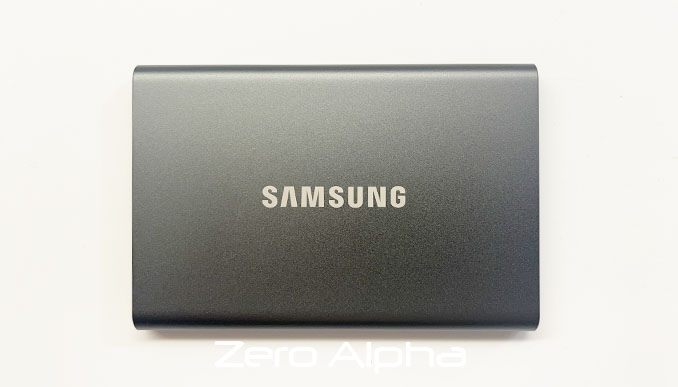
Common Samsung T7 SSD Problems
- Not Detected by Computer – The drive is not recognized or does not appear in Disk Management.
- Slow or Freezing Performance – The SSD takes a long time to respond or freezes during file transfers.
- Corrupted File System – The drive asks to be formatted, or files are inaccessible due to corruption.
- Firmware Issues – The SSD fails to initialize due to firmware corruption or update failures.
- Physical Damage – Dropped, crushed, or water-damaged drives leading to connectivity issues.
- USB-C Port Damage – Loose, broken, or bent USB-C connector preventing proper connection.
- Encryption Lockout – Password-protected drive prevents access, even with the correct password.
- NAND Flash Degradation – Excessive use causing memory wear, leading to read/write errors.
- Power Surge or Voltage Issues – Sudden power loss corrupting data or damaging internal components.
- Accidental Deletion or Formatting – Files deleted or the drive formatted by mistake.
- BitLocker or Software Encryption Issues – Locked drive due to lost decryption keys or software malfunctions.
- Bad Sectors or Read Errors – Drive develops unreadable areas, causing file corruption or inaccessibility.
- Intermittent Connectivity – SSD disconnects randomly during use due to hardware or cable issues.
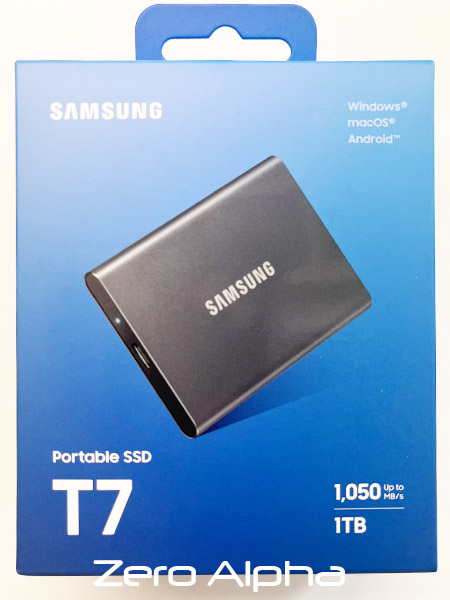
Samsung Portable SSD T7 1TB MU-PC1T0T Data Recovery
18Jul24: This model is current for 2024. Is usb c and now comes in a blue box. If you need data recovery because your MU-PC1T0T has failed please contact Zero Alpha
Samsung T7 1TB MZBLQ2T0HAA0 Water Damaged SSD Data Recovery
19Jul24: This SSD drive was partially submerged in some water. It worked for a little while afterwards then died. Water damaged SSD must be sent to our office for immediate service otherwise the problem will get worse real fast.
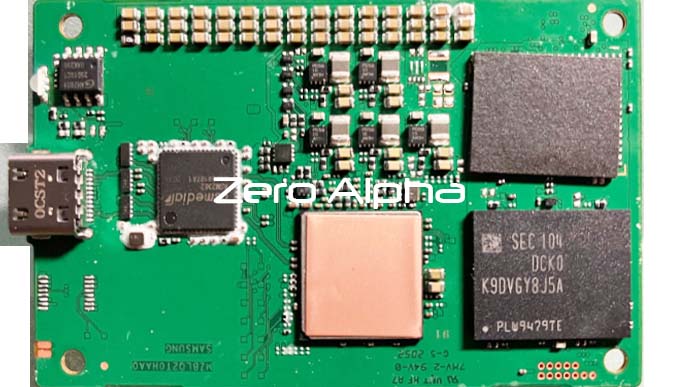
MU-PC2T0T 2TB Damaged by Power surge data recovery caselog
12Mar25: This usb-c ssd was damaged from a power surge. The ASM2362 usb controller gets 10 degrees hotter than a known working one. It draws 2 watts on the usb-c cable meter when the known working one only used between 0 and 1 watt.
2TB Samsung T7 MU-PC2T0T Data Recovery Caselog
03Feb26: This ssd was mailed in from Europe for data recovery. It has already been to another company as you can see a lot of soldering rework to the nand chips. USB Controller: ASM2362. Controller: Samsung S4LR033. Voltage regulators: BEZR 819. Nand chips: BGA272/316.
27Feb2026: Customer said it's been taken elsewhere and they said it had controller or firmware damage. Our investigation revealed this. 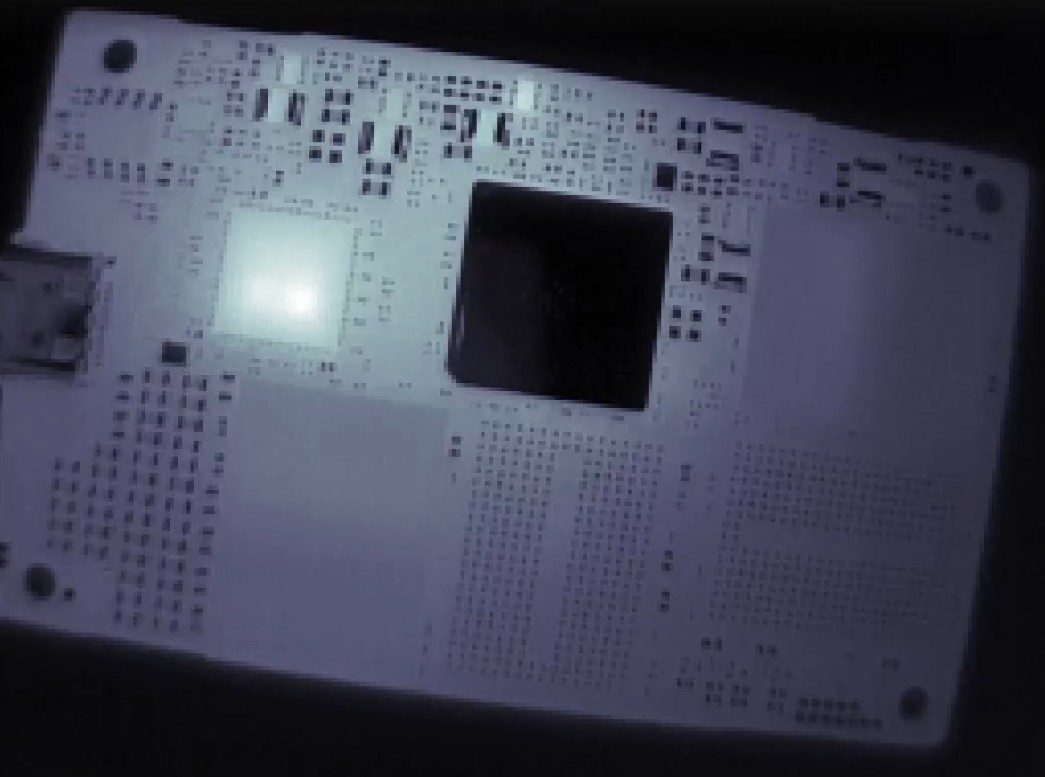
Samsung T7 Water Damaged 2TB MU-PC2T0T Data Recovery Caselog
25May26 - Samsung T7 SSD was accidently water damaged. The customer tried to put it in rice but it did not work and said it stopped detecting. The electronics were ok but the usb-c connector was corroded from the liquid. We we're able to repair this MU-PC2T0T 2tb samsung T7 SSD and successfully recover all the files and folders.
Samsung Portable SSD T7 4TB Caselog
03Nov26: I purchased the Samsung Portable SSD T7 4TB new in a sealed box from a private seller on Facebook Marketplace in early August 2026. The drive was used primarily for professional video production, including large 6K Blackmagic RAW files and other high-resolution footage. At the time of failure, approximately 3–3.5TB of its 4TB capacity was occupied. The footage stored on this drive was not backed up and is extremely important to my professional work.
Possible Early Warning Signs
Approximately two days before the failure, I noticed that copying individual video clips between folders on the T7 seemed slightly slower than usual. For example, when organising surf footage, I sometimes duplicate the same video clip into different surfers' folders. I remember these operations taking a little longer than I was accustomed to. However, I want to emphasise that this was only a slight observation at the time, and I cannot say for certain whether it was an early warning sign or simply normal performance variation.
Workload at the Time of Failure
On the day the drive failed, I had three operations happening simultaneously. Firstly, I was transferring large video files from a separate 1TB SSD onto the Samsung T7 4TB. Secondly, I was simultaneously uploading approximately 145GB of footage from the Samsung T7 to WeTransfer. Thirdly, I was colour grading high-resolution footage in DaVinci Resolve, including 6K, 48fps, 5:1 compressed video files. Importantly, the footage I was editing in DaVinci Resolve was stored on the separate 1TB SSD, not the Samsung T7. It was also completely different footage from the files being transferred onto the T7.
In other words, the Samsung T7 was simultaneously receiving a large file transfer and being read for the WeTransfer upload, while DaVinci Resolve was accessing separate footage on the 1TB SSD.
Symptoms During the Failure
The drive's performance gradually deteriorated rather than failing suddenly. File transfers became increasingly slow, and Finder's estimated transfer times fluctuated dramatically, going from approximately 52 minutes to 13 minutes, then back up to 35 minutes, with highly inconsistent estimates throughout the process.
When I checked the destination folder on the T7, I noticed that larger video files, several gigabytes each, were not appearing, while smaller clips appeared to be transferring successfully. The Samsung T7 also became extremely hot to the touch. Eventually, the file transfer became unresponsive, and Finder remained stuck on "Stopping..." after I attempted to cancel the transfer.
At some point during the transfer process, the separate 1TB SSD also ejected itself. I cannot remember exactly when this happened, but it definitely disrupted the process and caused further problems.
Troubleshooting After the Failure
I restarted my MacBook while the SSD was still connected. Following the restart, the Samsung T7 no longer appeared in Finder. I checked Disk Utility with "Show All Devices" enabled, but the T7 was not detected. I also checked macOS System Information under USB, and the T7 was not listed as a connected device.
I subsequently shut down the MacBook completely, disconnected the SSD, and allowed it to cool before reconnecting it. Upon reconnection, the SSD's indicator light remained solid blue, but the drive was still not recognised by macOS. The SSD did not immediately become excessively hot again after reconnecting.
I did not format, initialise, erase, or run any disk repair utilities on the drive.