Western Digital WD1600BB Data Recovery
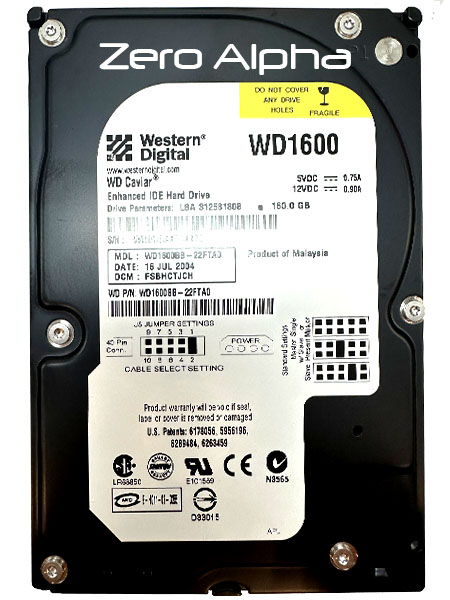
Zero Alpha offers professional data recovery for the Western Digital WD1600BB hard drive. This 160GB desktop HDD is part of the Caviar Blue series and is used in many home and business computers. Over time, users may experience failures such as clicking noises, power issues, or the drive not being detected. We provide expert recovery services for all types of Western Digital drives and accept mail in jobs from Australia and worldwide.
Western Digital WD1600BB Common Problems
- Drive not detected or shows 0MB capacity
- Clicking, ticking, or spinning-up noises
- Corrupted firmware or slow responding drive
- PCB failure caused by power surge
- Bad sectors leading to data read errors
- Head crash or spindle motor failure
Western Digital WD1600BB Models
- WD1600BB-00DAA0
- WD1600BB-00GUC0
- WD1600BB-22GUC0
- WD1600BB-22FTA0
- WD1600BB-75GUA0
- WD1600BB-23RDA0
Western Digital WD1600BB-22FTA0 Data Recovery Caselog
07Nov25: The customer brought in this old PATA drive and it was not working. When you are trying to read the data there are a lot of bad sectors. The file system is FAT 32. PCB: 2060-00173-004 REV A.

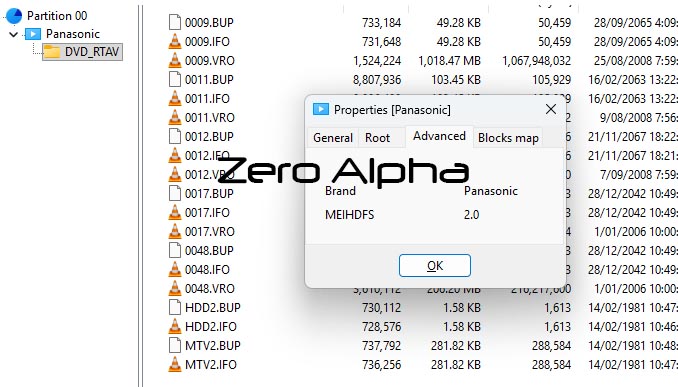
160gb WD1600BB-14RDA0 from Panasonic DVR Data Recovery Caselog
23Nov26: This old PATA 160gb western digital hard drive was removed from a panasonic DVR. The customer wanted us to recover all the video files. This drive has 4 heads and is from the Marvel Starling family. We were able to backup the firmware and get data access but because its from an old proprietory digital video recorder it has an unknown formatting that windows or mac can't see. It uses Panasonic's proprietary filesystem on its DVD recorder hard drives. I read it as "MEI Hard Disk File System", with MEI being Matsushita Electric Industrial, Panasonic's old parent company. It isn't a standard filesystem like FAT, NTFS or ext, which is why Windows and Linux see the disk as blank or unformatted. The volume is panasonic DVD_RTAV. This is a newer file system than when they use to use the old UDF system. You can use the github repo: https://github.com/leecher1337/panasonic-rec/tree/master/meihdfs